
Run your field. Grow your business.
The office books a no-cool call, the technician is already on the road, and the invoice is waiting when the job closes. FieldRova keeps the schedule, the client history, the estimate and the invoice on one job record, so nobody calls the office to ask what is going on.
Made for HVAC, plumbing, electrical, cleaning and appliance repair crews

- HVAC
- Plumbing
- Electrical
- Cleaning
- Appliance repair
- HVAC
- Plumbing
- Electrical
- Cleaning
- Appliance repair
- HVAC
- Plumbing
- Electrical
- Cleaning
- Appliance repair
- HVAC
- Plumbing
- Electrical
- Cleaning
- Appliance repair
One platform
Follow one job from first call to paid
Step 1 of 6 · Leads
Capture leads
A call or web inquiry shouldn't live on a sticky note. Log it in your lead list and move it through stages you define until it books or drops.
Explore leadsThe toolkit
From the first call to the last payment
Scheduling and dispatch
Know who is where before the phone rings
A no-cool call comes in at 10 a.m. and your best tech is across town. Drop it on the day or week calendar, move a lower-priority job, and see where the day's jobs sit on the map.
Explore scheduling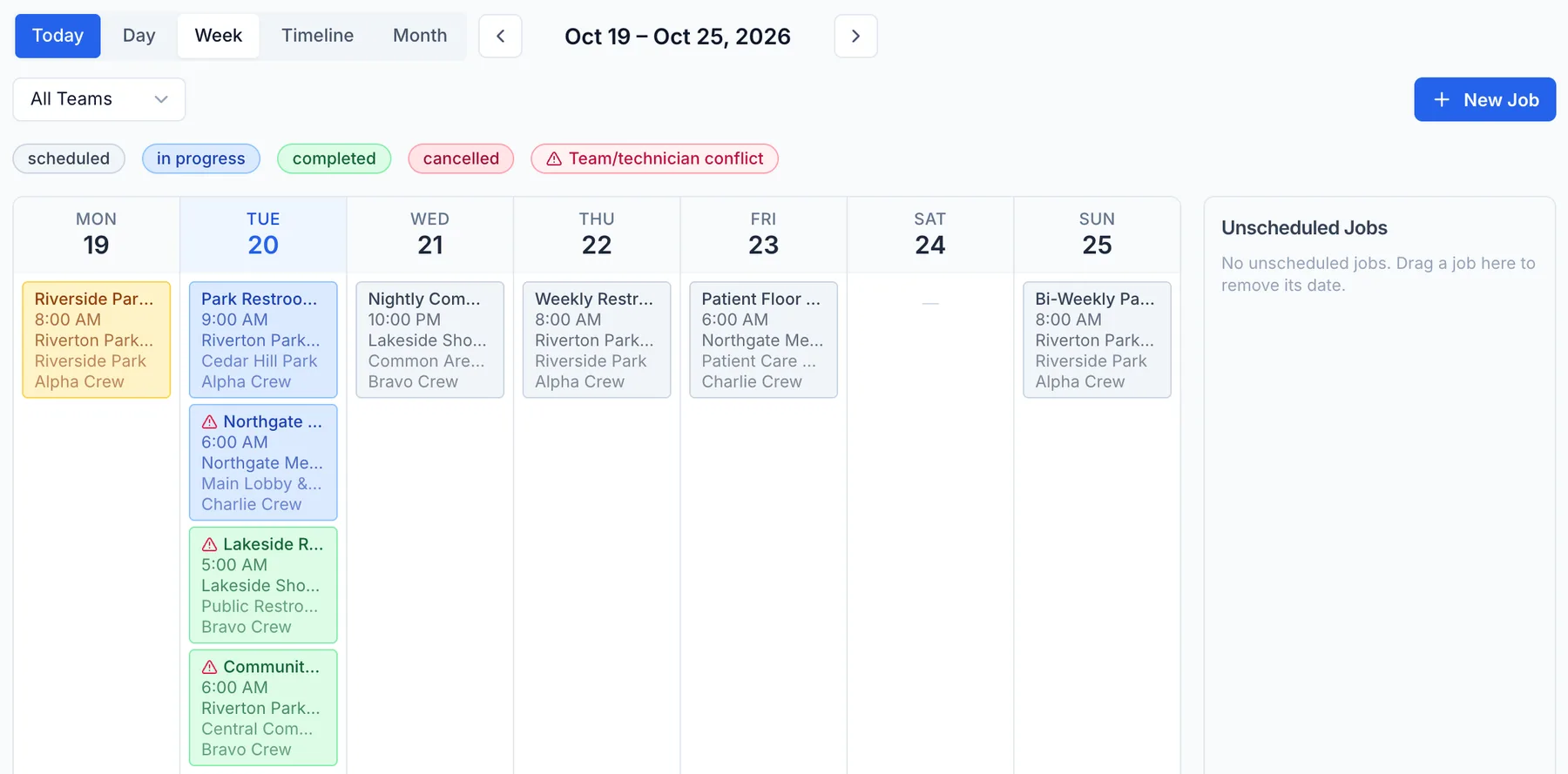
Industries
Set up for how your trade actually works
FAQ
Straight answers before you talk to us
Is FieldRova built for my trade?
Yes, if you run HVAC, plumbing, electrical, cleaning or appliance repair crews. Jobs, scheduling, estimates built from your own price book and invoicing work the same way across those trades. The Industries pages show how each one uses them.
Can my technicians use it from their phones?
Yes. The FieldRova mobile app gives technicians their day: jobs, schedule, check-in at the site and client details. It signs in to the same account as the web app. The app is rolling out in stages, so ask our team about access for your crew.
Can customers pay invoices online?
Not by default yet. RovaPay, our built-in online card payments, is built but not switched on for customers automatically. Today you record the payments you receive against each invoice, and unpaid balances stay visible by client.
What does FieldRova cost?
There are three plans, Standard, Pro and Ultimate. We do not publish prices here, so talk to sales and we will recommend a plan for your team and go over pricing with you. The Pricing page shows what each plan includes.
Do you handle phone calls too?
Yes, through Rova Phone for calls, voicemail and masked calling, and Rova Answering for AI call answering and booking. Both are billed separately from your plan. Rova Answering needs a subscription and setup by our team.
Stop chasing jobs across texts and spreadsheets
Create an account and look around, or talk to our team about how your crews, calls and invoices would run in FieldRova.